

What's a Widget, anyway?
The feature that turns your destination data into beautiful, visitor-ready listings.

If you update a business listing in your CRM, shouldn't it automatically update everywhere on your website too? That's the idea behind Widgets. They take the data you've already organized in Whereabouts and turn it into beautiful, visitor-ready listings on your site — no code, no manual updates, no extra work.
When it comes to names, the Whereabouts team likes to keep things simple. That's why our features are called "Directory," "Lists," and "People." Since the whole spirit of what we do is to create simple, easy-to-use software for destination teams, it makes sense that the names would follow suit.
It's in that same spirit that we landed on the name for our Widgets feature. We could have gone with something more descriptive, but "Platform-Agnostic Embeddable Website Listings" just doesn't have the same ring to it. So, Widgets it is.
Don't let the name fool you, though. Widgets are one of the most powerful things Whereabouts can do for your destination website. They take the data you've already organized in your directory, your member listings, attraction profiles, and events, and turn it into beautiful, clickable, visitor-friendly content. All without touching a line of code.
Here's how they work.
In case this is your first time here: Whereabouts is the simple tourism CRM built for DMOs and CVBs. Today we’re talking about one of its features, the Widgets App.
Start with your Directory and Lists
Before a Widget can do its thing, you need two ingredients: a populated Directory and a List.
Your Directory is where all of your members live. Every operator, attraction, restaurant, and partner gets a profile, and those profiles are tagged with keywords that describe them: accommodation type, region, experience category, seasonal availability, and more.
Those tags are what power your Lists. A List is simply a grouped collection of operators that share something in common. Lists can be as broad as "All Accommodations" or as specific as "Fishing Tour Guides operating in Fall in Specific Town" Once you have a List, you have everything you need to build a Widget.
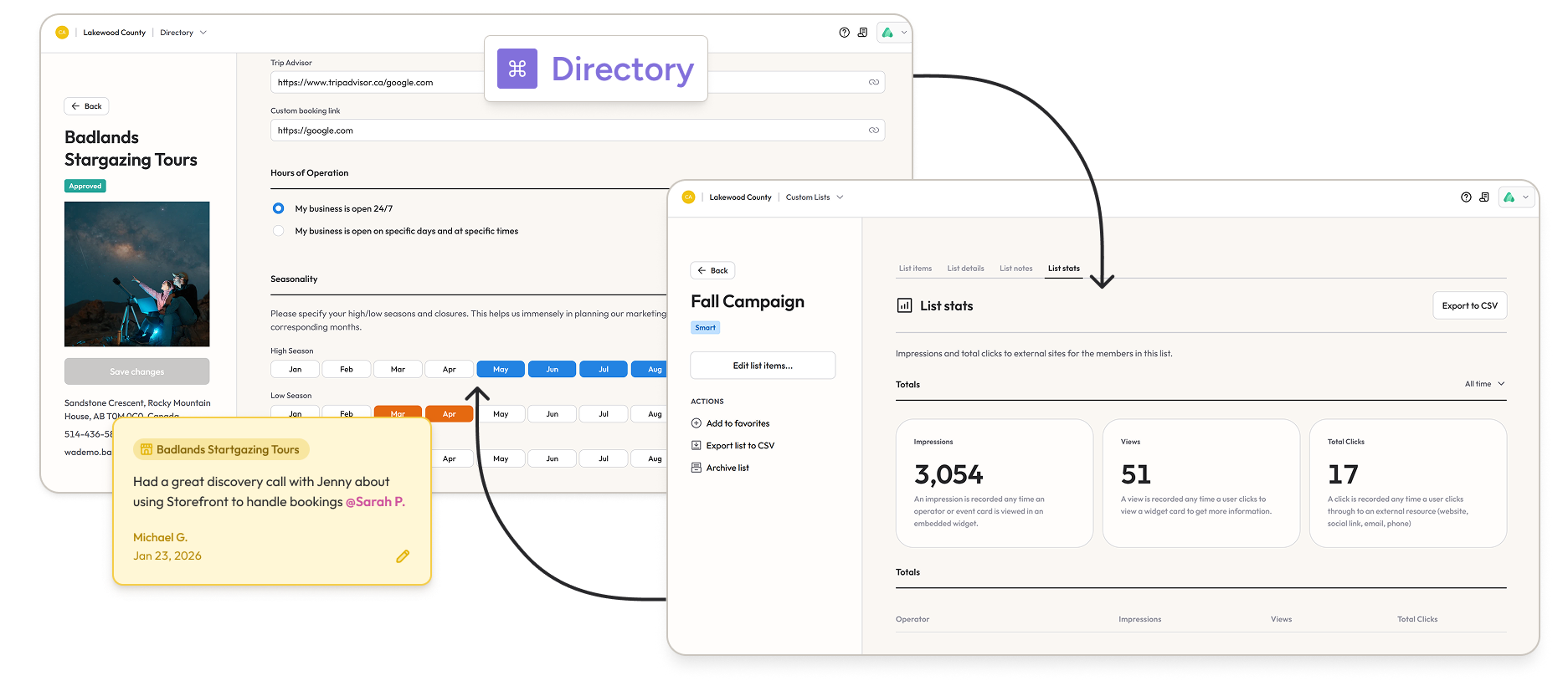
From List to live listing: how Widgets work
Once your List is set up, the Widget feature does the heavy lifting. Each operator's photo and description is automatically pulled into a beautifully designed card, ready to be embedded anywhere on your destination website.
You have a few display options to choose from depending on the context:
Grid view works best for larger collections, like a full page of restaurants or accommodations. It gives visitors plenty of visual real estate to browse and compare.
Carousel view slides horizontally and is a great fit for shorter, more focused lists, like a curated set of spa experiences or boutique stays. It works especially well when you don't have a lot of vertical space on the page.
Map view lets visitors browse by location, which is particularly useful for destinations that cover a large geographic area.
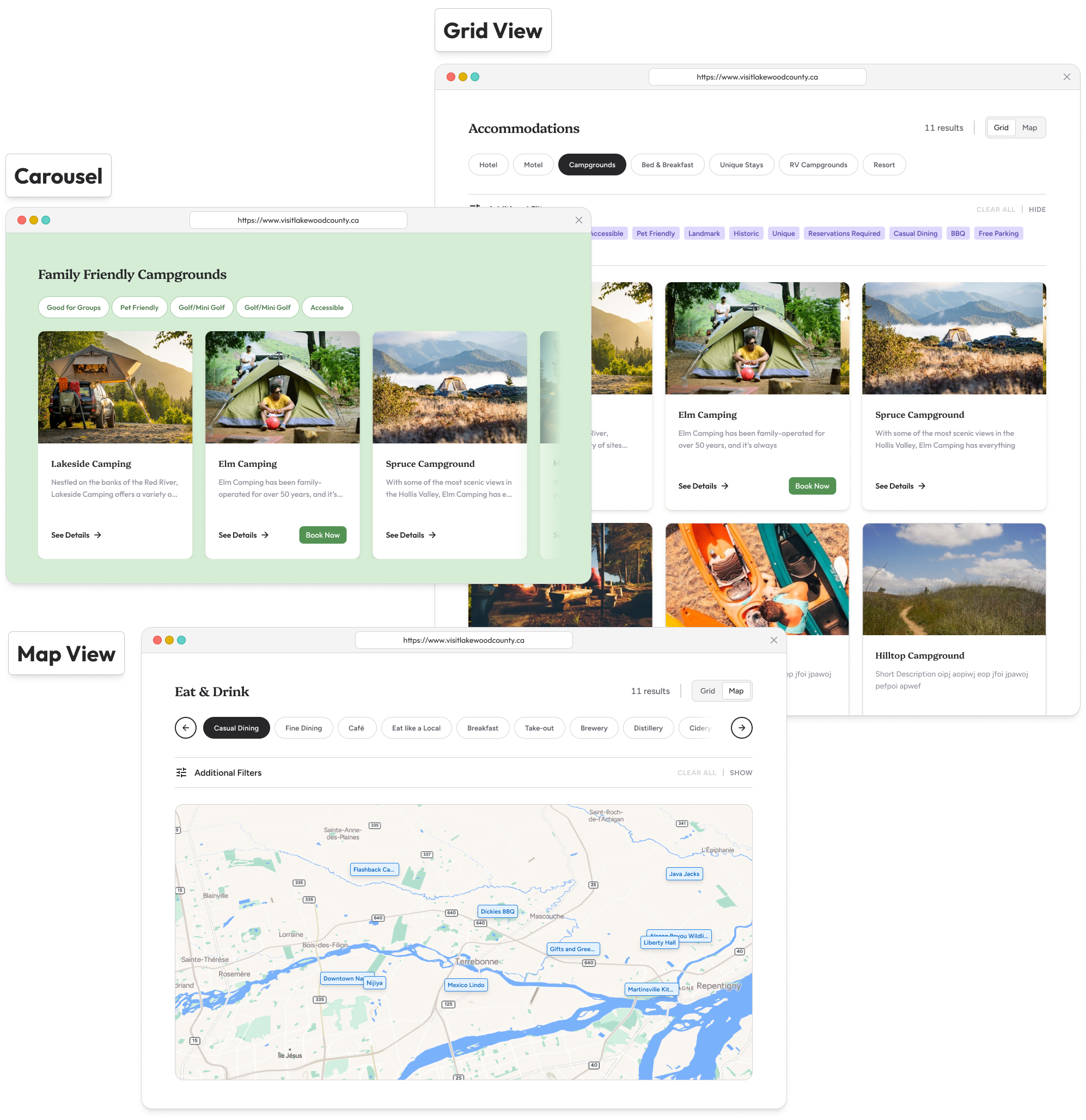
Any tags you used to build your List will automatically appear as filters on the Widget, so visitors can narrow things down to exactly what they're looking for. You can choose to display all available filters, or keep it simple and show only the ones most relevant to your visitors.
Widgets also come with a side panel flyout for individual listings, which means they're mobile-friendly right out of the box. And if your developer wants to style them to match your branding, Widgets are built to be flexible enough to do that too.
Widgets for Events work the same way
If you're using Whereabouts to manage your events calendar (and you should be), the same Widget logic applies. You can display your full events calendar as a Grid, or spin up a Carousel for pre-filtered groups like summer family events, arts and cultural experiences, or whatever fits your current campaign. Approve a new event, add the right tag, and it appears on the right Widget automatically.
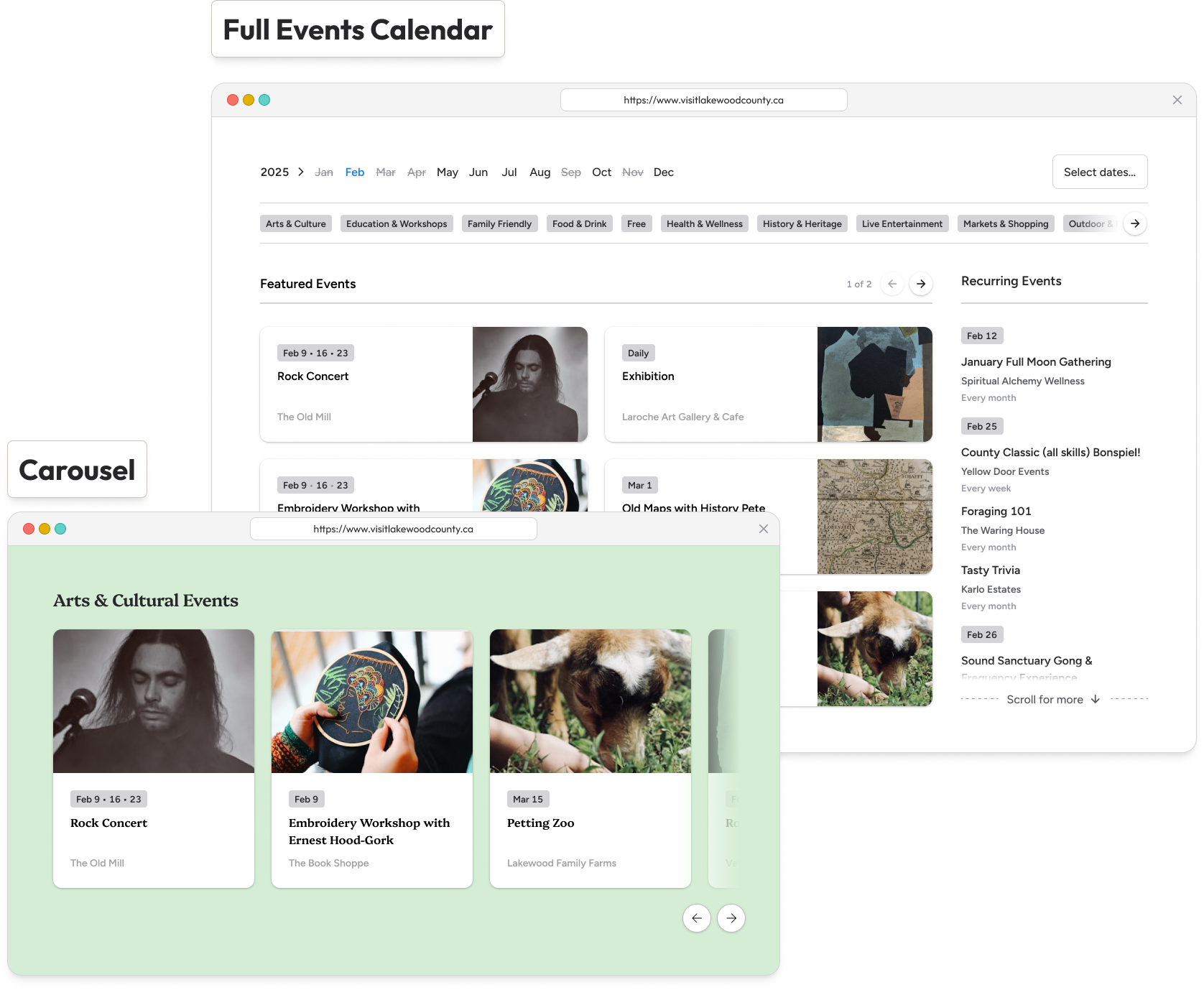
Always in sync with your Directory
Here's the part that saves destination teams the most time: Widgets are always connected to your live Directory. You don't need to manually update your website every time something changes.
If an operator updates their hours or uploads a new photo, that change shows up on your website as soon as you approve it. If a new business joins and gets tagged appropriately, they're added to every relevant Widget automatically. There's no manual refresh, no developer ticket, and no out-of-date listings frustrating your visitors.
Your website isn't the only place Widgets can go
This might be the most exciting part. Widgets aren't limited to your main destination website.
Publishing a listicle blog about glamping spots in your region? Embed a Widget that includes all the operators you've featured, so readers can go straight from being inspired to booking their trip. Partnering with a travel writer or online publication? Hand them your Widget embed code and their article becomes a live, bookable resource the moment it's published.
Wherever your destination story gets told, a Widget can bring it to life.
Widgets are one of those features that's easy to set up and surprisingly hard to stop using once you see it in action. If you'd like to see how they could work on your destination website, book a quick demo and we'll show you.

